mirror of
https://github.com/Sea-Haven-Industries/open-swe.git
synced 2026-09-30 12:43:16 +00:00
An Open-Source Asynchronous Coding Agent
 657d2190d3
* update old docs links * combine edits * fix format * format * fix * revert other formatting fix |
||
|---|---|---|
| .github/workflows | ||
| .vscode | ||
| apps | ||
| packages/shared | ||
| static | ||
| .codespellignore | ||
| .gitignore | ||
| .yarnrc.yml | ||
| AGENTS.md | ||
| langgraph.json | ||
| LICENSE | ||
| package.json | ||
| README.md | ||
| SECURITY.md | ||
| tsconfig.json | ||
| turbo.json | ||
| yarn.lock | ||

Open SWE - An Open-Source Asynchronous Coding Agent
Open SWE is an open-source cloud-based asynchronous coding agent built with LangGraph. It autonomously understands codebases, plans solutions, and executes code changes across entire repositories—from initial planning to opening pull requests.
Tip
Try out Open SWE yourself using our public demo!
Note: you're required to set your own LLM API keys to use the demo.
Note
📚 See the Open SWE documentation files here
💬 Read the announcement blog post here
📺 Watch the announcement video here
Features
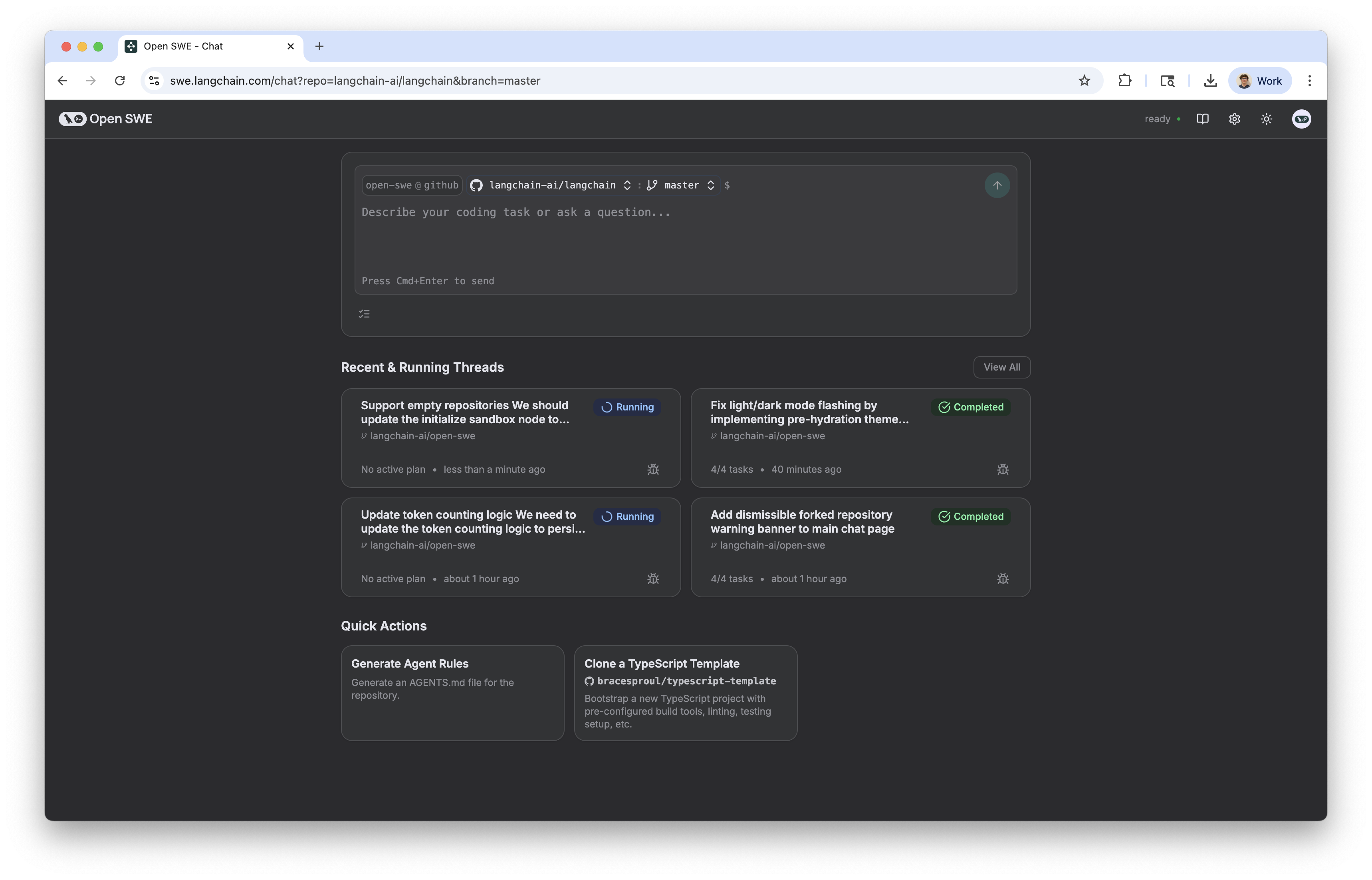
- 📝 Planning: Open SWE has a dedicated planning step which allows it to deeply understand complex codebases and nuanced tasks. You're also given the ability to accept, edit, or reject the proposed plan before it's executed.
- 🤝 Human in the loop: With Open SWE, you can send it messages while it's running (both during the planning and execution steps). This allows for giving real time feedback and instructions without having to interrupt the process.
- 🏃 Parallel Execution: You can run as many Open SWE tasks as you want in parallel! Since it runs in a sandbox environment in the cloud, you're not limited by the number of tasks you can run at once.
- 🧑💻 End to end task management: Open SWE will automatically create GitHub issues for tasks, and create pull requests which will close the issue when implementation is complete.
Usage
Open SWE can be used in multiple ways:
- 🖥️ From the UI. You can create, manage and execute Open SWE tasks from the web application.
- 📝 From GitHub. You can start Open SWE tasks directly from GitHub issues simply by adding a label
open-swe, oropen-swe-auto(adding-autowill cause Open SWE to automatically accept the plan, requiring no intervention from you). For enhanced performance on complex tasks, useopen-swe-maxoropen-swe-max-autolabels which utilize Claude Opus 4.1 for both planning and programming.